
Are you tired of dealing with hard water problems like spots on your dishes or dry skin? Setting the right regen time on your water softener can make all the difference.
But if you’ve ever felt confused about when and how to adjust it, you’re not alone. Getting this timing right ensures your softener works efficiently, saves you money, and keeps your water perfectly soft. You’ll learn simple steps to set the regen time on your water softener so it fits your daily routine and water usage.
Keep reading—you’ll soon have the key to smoother water and a happier home.
Why Regen Time Matters
Setting the right regen time on your water softener helps keep your water clean. It controls when the softener cleans itself.
Choosing the correct time saves resources and keeps your softener working well for years.
Impact On Water Quality
Regen time affects how well your water softener removes hard minerals. If the time is wrong, water may still feel hard.
Setting regen at night or low-use hours helps the softener clean without interrupting water use.
- Correct regen time ensures soft water all day
- Wrong time can cause hard water during peak use
- Proper timing keeps water taste fresh and clear
Energy And Salt Usage
Regen cycles use salt and electricity. Setting the right time reduces waste of these resources.
Running regen during off-peak hours can lower energy costs and salt use.
- Efficient regen saves salt for future use
- Lower energy use cuts your utility bills
- Good timing avoids unnecessary regen cycles
Extending Softener Lifespan
Correct regen timing reduces wear on your softener parts. This helps the system last longer.
Too frequent or poorly timed regen can cause damage and increase repair needs.
- Proper regen timing lowers system stress
- Fewer repairs mean longer softener life
- Good care keeps your softener working smoothly

Credit: manuals.plus
Identify Your Water Softener Model
Setting the regen time on your water softener is essential for its efficient operation. First, you need to identify your water softener model to adjust the settings correctly.
Different models may have unique features and control mechanisms. Understanding your specific model helps in navigating the control panel and setting the timer accurately.
Locating The Control Panel
The control panel is where you adjust the settings for your water softener. Finding it is the first step in setting the regen time.
- Look for a small panel on the top or front of the unit.
- Check for labels such as "Control" or "Settings".
- Refer to the manufacturer's guide if unsure.
Reading The User Manual
The user manual provides detailed instructions for your water softener. It is a valuable resource for understanding the controls and settings.
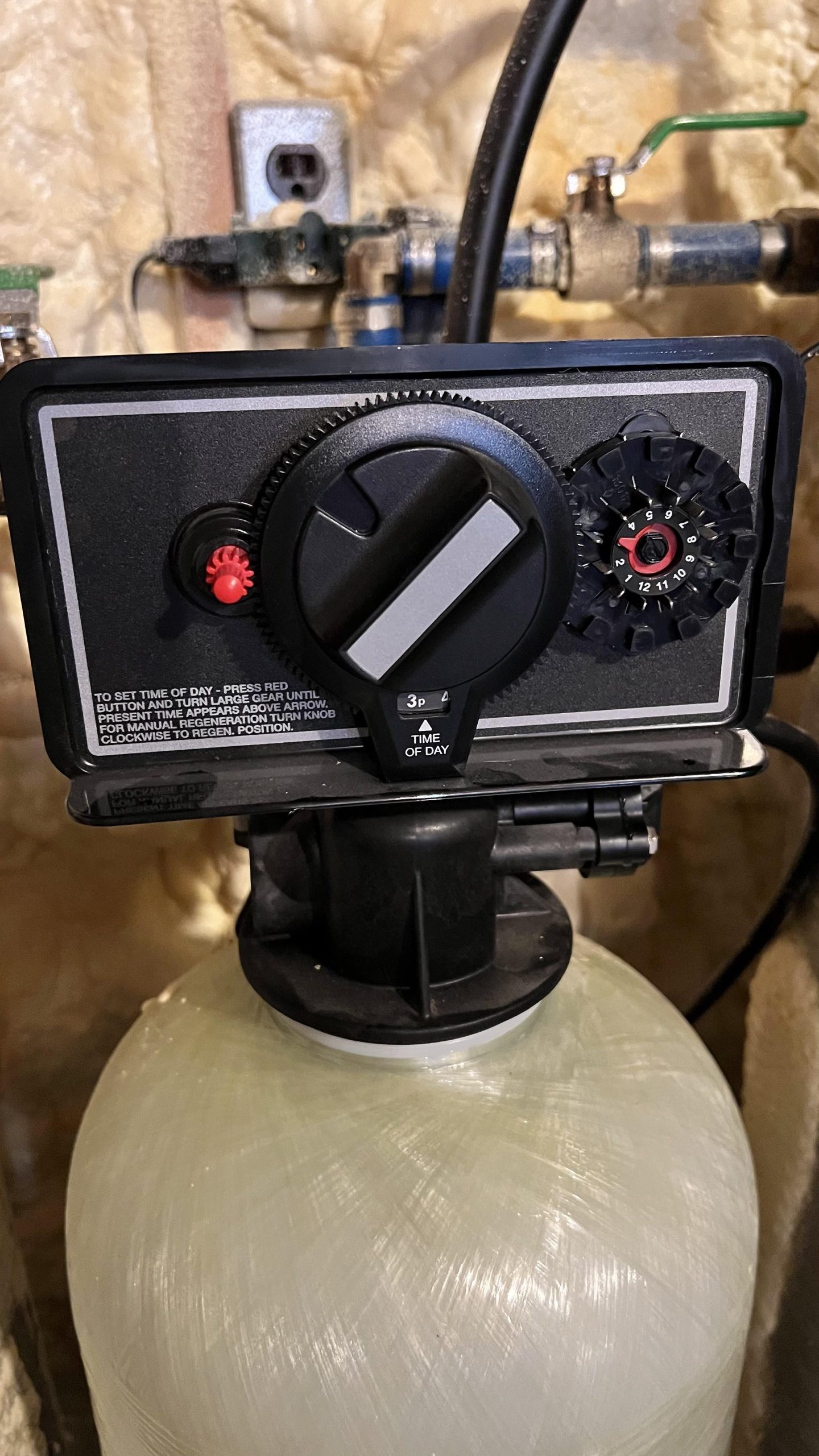
Common Timer Types
Water softeners use different types of timers to manage the regeneration cycle. Knowing these can help you set the regen time effectively.
| Timer Type | Description |
| Mechanical Timer | Uses dials and gears for settings. |
| Electronic Timer | Digital display with buttons. |
| Smart Timer | Connects to apps for remote settings. |
Check Water Hardness Levels
Water hardness affects how well your water softener works. It tells you the amount of minerals like calcium and magnesium in your water. Knowing this helps you set the right regen time for your softener.
Testing your water hardness before adjusting your softener saves you time and money. It also protects your pipes and appliances from damage caused by hard water.
Testing Methods
You can test water hardness using different tools and methods. Choose one that fits your needs and budget. Testing regularly gives you accurate data for your softener settings.
- Use test strips that change color based on hardness.
- Buy a digital water hardness meter for precise readings.
- Send a water sample to a local lab for detailed analysis.
- Use a soap test by checking how much soap forms suds in water.
Interpreting Results
Water hardness is measured in grains per gallon (gpg) or parts per million (ppm). Lower numbers mean softer water. Higher numbers mean harder water that needs more softening.
| Hardness Level | gpg | ppm | Description |
| Soft | 0-3.5 | 0-60 | Low mineral content |
| Moderate | 3.5-7.0 | 60-120 | Normal hardness |
| Hard | 7.0-10.5 | 120-180 | High mineral content |
| Very Hard | 10.5+ | 180+ | Very high mineral content |
Adjusting Based On Hardness
Set the regen time of your water softener based on hardness. Harder water needs longer regen cycles to clean the resin beads. Softer water needs shorter cycles to save salt and water.
- Find your water hardness level from the test results.
- Check your softener manual for recommended regen times.
- Adjust regen time to match hardness level.
- Monitor water quality and adjust if needed.
- Keep track of salt usage and water consumption.
Credit: www.diychatroom.com
Choose The Best Time For Regeneration
Setting the right time for your water softener to regenerate helps save water and energy. It also ensures soft water is ready when you need it.
Choosing the best regeneration time depends on your household routines and maintenance needs.
Nighttime Benefits
Regenerating your water softener at night uses less electricity. Water demand is low, so the system works efficiently.
- Less water use during regeneration
- Lower electricity rates at night
- Minimal disruption to daily activities
Avoiding Peak Water Usage
Avoid setting regeneration during morning or evening peak hours. These times have the highest water use in most homes.
| Time of Day | Water Usage Level |
| 6 AM - 9 AM | High |
| 12 PM - 2 PM | Medium |
| 5 PM - 8 PM | High |
| 10 PM - 5 AM | Low |
Aligning With Salt Refill Schedule
Check your salt level before setting the regeneration time. Align regeneration right after you refill salt to keep the system working well.
- Refill salt as needed
- Set regeneration soon after refilling
- Prevent system damage and maintain efficiency
Step-by-step Setting Process
Setting the regeneration time on your water softener is important. It helps keep your system working well. Follow these simple steps to adjust the timer correctly.
This guide will show you how to access the timer settings, change the regeneration time, and save your changes safely.
Accessing The Timer Settings
First, find the control panel on your water softener. It usually has a digital display and buttons. Press the menu or settings button to enter the timer settings mode.
- Locate the control panel on your water softener.
- Press the menu or settings button.
- Navigate to the timer or regeneration settings option.
- Wait for the display to show the current regen time.
Adjusting Regen Time
Once you are in the timer settings, you can change the regeneration time. This is usually set in hours or a 24-hour clock. Use the buttons to increase or decrease the time.
| Button | Function |
| Up Arrow | Increase regen time by one hour |
| Down Arrow | Decrease regen time by one hour |
| Menu/Next | Move to next setting |
| Save/OK | Confirm changes |
Saving And Confirming Changes
After setting the correct regen time, save your changes. This prevents the water softener from losing your settings. Make sure the display shows the new time.
- Press the save or OK button to store the new regen time.
- Wait for a confirmation message on the display.
- Exit the menu by pressing the menu or back button.
- Check that the timer shows the updated regen time.

Credit: www.reddit.com
Troubleshooting Common Issues
Setting the regen time on your water softener can sometimes cause problems. Knowing how to fix these issues helps keep your water softener working well. This guide covers common problems and solutions.
Follow these tips to reset the timer, handle power outages, and decide when you need professional help.
Resetting The Timer
If your water softener is not regenerating at the right time, resetting the timer may fix the issue. The timer controls when the softener cleans the resin beads.
- Locate the timer dial or digital display on the softener.
- Check the current time and day settings.
- Adjust the time to match your local time exactly.
- Set the regeneration time to a low-usage period, like early morning.
- Save the settings and restart the softener if needed.
Dealing With Power Outages
Power outages can cause the timer to lose its settings. This makes the softener stop working properly. Resetting the timer after an outage is important.
| Problem | Solution |
| Timer resets to midnight | Reset current time and day on the timer |
| Softener does not regenerate | Manually start a regeneration cycle |
| Settings lost after outage | Check and save all settings again |
When To Call A Professional
If you try to reset the timer and the softener still does not work, it may need expert help. Some problems need special tools or knowledge.
- The timer display is broken or blank
- The softener does not start regeneration after reset
- Strange noises or leaks happen
- You cannot find the timer or user manual
Maintenance Tips For Efficiency
Setting the correct regen time on your water softener helps it work well. Regular maintenance keeps the system efficient and long-lasting.
Follow simple steps to maintain your water softener. This guide covers salt checks, resin tank cleaning, and scheduling inspections.
Regular Salt Checks
Salt is key for the softening process. Check the salt level in the brine tank often. Keep it above the water level to ensure proper regeneration.
- Look for salt bridges or crusts and break them up.
- Use the right type of salt recommended by the manufacturer.
- Refill salt before it runs out to avoid hard water issues.
Cleaning The Resin Tank
Resin beads trap minerals and need cleaning to stay effective. Use resin cleaner every few months to clear buildup and improve water quality.
| Cleaning Frequency | Recommended Product | Purpose |
| Every 3-6 months | Resin Cleaner | Remove iron and minerals buildup |
| Annually | Vinegar Solution | Deep clean and disinfect resin tank |
| As needed | Manufacturer’s Cleaner | Specific resin types maintenance |
Scheduling Annual Inspections
Professional inspection can find issues early. Schedule a yearly checkup to keep your softener running well.
- Test water hardness before and after softener
- Check regen timer and settings
- Inspect valves and controls for leaks
- Clean or replace filters if needed
- Assess resin condition and salt usage
Frequently Asked Questions
How Do I Set Regen Time On A Water Softener?
To set regen time, access the control panel on your softener. Use the buttons to select the desired regeneration start time, usually during low water usage hours, like overnight. Save the settings to ensure the system regenerates automatically.
When Should I Schedule Water Softener Regeneration?
Schedule regeneration during low water use, typically late night or early morning. This timing minimizes water disruption and ensures soft water availability during peak use hours. Check your household’s water usage patterns for the best regen time.
Can I Adjust Regen Frequency On My Water Softener?
Yes, you can adjust the regeneration frequency based on water hardness and usage. Most units allow setting regen cycles from every few days to weekly. Adjusting frequency helps save salt and water while maintaining soft water quality.
Why Is Regen Time Important For Water Softeners?
Regen time ensures the resin beads recharge and remove hardness minerals effectively. Proper timing prevents water hardness buildup and maintains soft water flow. Incorrect timing may cause inefficient softening or water supply interruptions.
Conclusion
Setting the regen time on your water softener keeps it working well. It saves water and salt by running at the right time. Choose a time when water use is low, like at night. Check your softener’s manual for exact steps.
Regularly adjust the setting if your water use changes. This helps your softener clean itself efficiently. A properly timed regen cycle means softer water every day. Keep your system in good shape with simple care. Easy to do, easy to enjoy.