
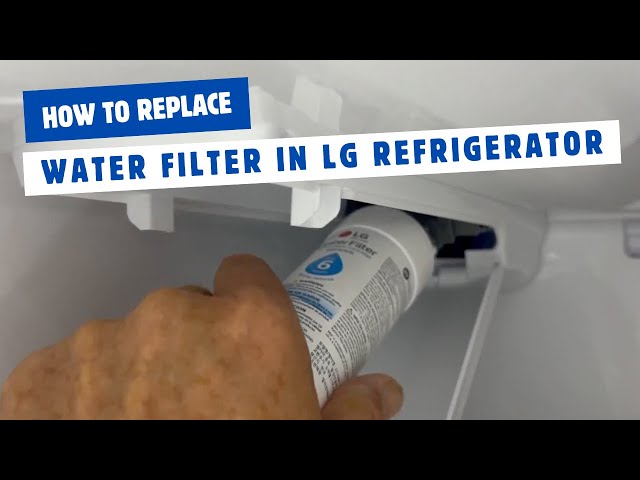
Changing the water filter on your LG refrigerator might seem tricky, but it doesn’t have to be. If you want clean, fresh-tasting water and ice, keeping your filter updated is key.
In this guide, you’ll find simple, step-by-step instructions that anyone can follow. By the end, you’ll know exactly how to replace your water filter quickly and easily—saving you time and money. Ready to improve your water quality right now? Let’s get started!
Signs To Replace Your Water Filter
Your LG refrigerator has a water filter to keep water clean and fresh. Over time, the filter gets dirty and needs changing. Knowing the signs helps you replace it on time.
Replacing the filter regularly keeps your water tasting good and prevents damage to your fridge. Watch for these key signs to know when to change it.
Reduced Water Flow
If water flows slowly from the dispenser, your filter might be clogged. A dirty filter blocks water and lowers the flow rate.
Check the water stream regularly. If it feels weaker than usual, it is time to replace the filter.
Unusual Taste Or Odor
Clean water should taste fresh and smell neutral. If your water tastes odd or smells strange, the filter may be old.
A worn filter cannot remove impurities well. Changing it will restore the water’s clean taste and smell.
Filter Life Indicator
Many LG refrigerators have a filter life indicator light. It shows when the filter needs replacement.
- The light may turn on or blink.
- Check your user manual for details.
- Replace the filter as soon as the light signals.
Time Since Last Replacement
Filters usually last about six months. If you do not remember changing it, it might be time.
Write the replacement date on the filter or keep a note. This helps you track when to change it next.
Choosing The Right Replacement Filter
Changing the water filter on your LG refrigerator is essential for clean water. Picking the correct replacement filter ensures safe and tasty water.
Before purchasing a filter, understand what makes one suitable for your fridge. This guide will help you choose wisely.
Checking Your Refrigerator Model
Identifying your refrigerator model is the first step. It helps you find a filter that fits correctly.
Look inside your fridge or on the door for the model number. Write it down to ensure you buy the right filter.
Oem Vs. Third-party Filters
Filters come as OEM (Original Equipment Manufacturer) or third-party. Both have pros and cons.
- OEM filters are made by LG, ensuring perfect fit and quality.
- Third-party filters can be cheaper but may vary in quality.
- Check reviews before choosing a third-party filter.
Filter Certifications To Consider
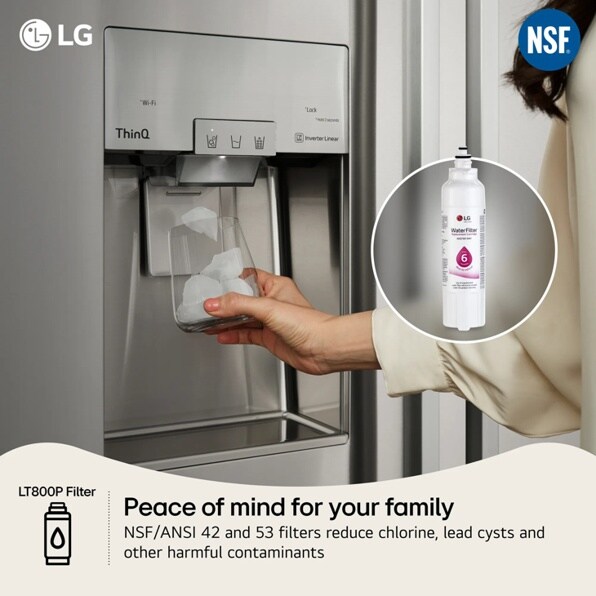
Certifications show that a filter meets safety standards. Look for these certifications when buying a filter.
- NSF 42 certification ensures improvement in taste and odor.
- NSF 53 certification means it reduces health-related contaminants.
- Check if the filter is BPA-free for added safety.
Preparing To Change The Filter
Changing the water filter in your LG refrigerator helps keep your water clean. Before you start, you need to prepare properly. This will make the process easier and safer.
Prepare by gathering the right tools, turning off the water supply, and finding the filter compartment. These steps will help you change the filter smoothly.
Gathering Necessary Tools
Start by collecting all the tools you will need. Having these ready saves time and avoids interruptions during the filter change.
- New LG water filter compatible with your model
- Clean cloth or towel to catch drips
- Bucket or bowl to hold water spills
- Flashlight to see inside the fridge if needed
- User manual for your LG refrigerator (optional but helpful)
Turning Off Water Supply
Before you remove the old filter, turn off the water supply. This stops water from leaking or spraying out during the change.
The water shut-off valve is usually behind the refrigerator or under the sink. Turn the valve clockwise to close it. Check that water has stopped flowing.
Locating The Filter Compartment
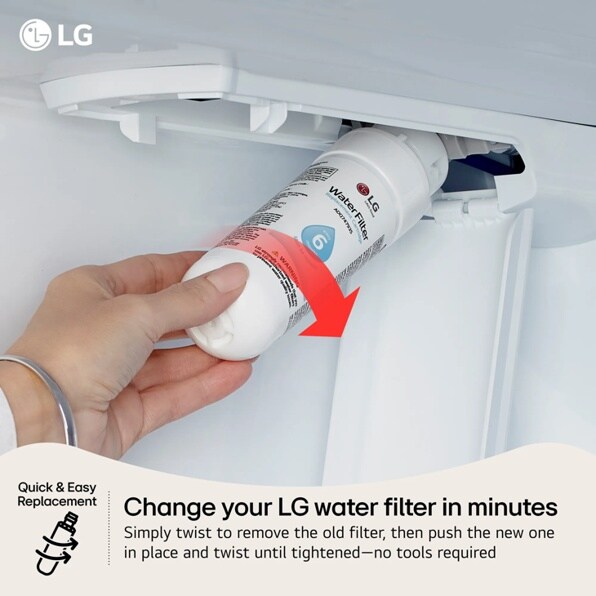
Find the filter compartment in your LG refrigerator. The location varies by model, so check your user manual if unsure.
- Most filters are inside the fridge, near the top right corner
- Some models have the filter in the base grille at the bottom front
- The filter compartment usually has a cover that you can twist or pull open
Credit: www.lg.com
Step-by-step Filter Replacement
Changing the water filter in your LG refrigerator is important for clean water. This guide will help you replace the filter safely.
Follow each step carefully to keep your refrigerator working well and your water tasting fresh.
Removing The Old Filter
Locate the water filter inside the fridge, usually in the upper right corner or near the bottom grille. Check your model’s manual for exact location.
Turn the filter counterclockwise to unlock it. Pull the filter straight out gently to remove it from the housing.
Disposing Of The Used Filter
Do not throw the used filter in regular trash. It may contain water and other residues.
Check if your local recycling center accepts water filters. If not, seal the filter in a plastic bag before disposal.
Installing The New Filter
Remove the protective cap from the new filter. Align the filter with the housing inside the fridge.
Insert the filter and turn it clockwise until it locks in place. Make sure it fits snugly to prevent leaks.
- Remove cap
- Align filter
- Insert filter
- Turn clockwise
- Check for tight fit
Resetting The Filter Indicator
After installing the new filter, reset the filter indicator light. This helps track when the next change is due.
Press and hold the reset button on the control panel for about 3 seconds. The light should turn off or change color.
Post-installation Tips
After changing the water filter in your LG refrigerator, some important steps help keep your water clean and safe. These tips ensure the new filter works well.
Follow these post-installation steps to check your filter and maintain its life for fresh water every day.
Flushing The New Filter
Flushing the new water filter removes any loose carbon particles and air. It helps clear the system before you start using the water.
- Run water through the dispenser for 3 to 5 minutes.
- Use a large container to catch the water.
- Discard the first few batches of water.
- Check that the water runs clear and tastes fresh.
Checking For Leaks
After installing the new filter, check for leaks to avoid water damage and ensure proper fitting.
| Leak Check Point | What to Look For | Action if Leak Found |
|---|---|---|
| Filter Housing | Water dripping or pooling around the filter area | Remove and reinstall the filter tightly |
| Water Dispenser | Water leaks from dispenser nozzle | Inspect dispenser parts and tighten connections |
| Inside Refrigerator | Water puddles on shelf or floor inside | Check tubing and seals for damage |
Maintaining Filter Life
Proper care can extend your filter’s life and keep water fresh. Follow these simple tips for maintenance.
- Replace the filter every 6 months or as recommended by LG.
- Keep the refrigerator door closed to maintain water pressure.
- Use the water dispenser regularly to avoid stagnant water.
- Clean the filter housing area during each filter change.

Credit: www.dtappliance.com
Troubleshooting Common Issues
Changing the water filter on your LG refrigerator can sometimes cause issues. This guide helps you solve common problems during the process.
Follow the tips below to fix filter fitting, leakage, and indicator problems quickly and safely.
Filter Not Fitting Properly
A filter that does not fit well can cause leaks or stop water flow. Check these points to fix the problem.
- Make sure you have the correct filter model for your refrigerator.
- Align the filter with the slot as shown in the user manual.
- Push the filter gently but firmly until it clicks into place.
- Do not force the filter; forcing may damage the seal or housing.
- Inspect the filter O-ring for cracks or dirt and clean or replace if needed.
Water Leakage Problems
Leaks around the filter area are common but can be fixed by checking a few things.
| Cause | Solution |
| Loose filter | Reinstall the filter and tighten it properly. |
| Damaged O-ring | Replace the O-ring with a new one from the manufacturer. |
| Cracked filter housing | Contact LG service for a replacement part. |
| Water pressure too high | Check your home's water pressure and reduce if needed. |
Filter Indicator Not Resetting
The filter indicator light helps remind you to change the filter. If it does not reset, try these steps.
- Press and hold the reset button on the control panel for 3 seconds.
- Unplug the refrigerator for 5 minutes, then plug it back in.
- Make sure the new filter is installed correctly.
- Consult your manual for model-specific reset instructions.
- If the indicator still does not reset, contact LG support.
Credit: www.lg.com
Frequently Asked Questions
How Often Should I Change Lg Refrigerator Water Filter?
You should replace the LG water filter every 6 months. This ensures clean, fresh water and optimal filtration performance. Frequent changes prevent clogs and maintain taste quality.
Where Is The Water Filter Located On Lg Fridge?
The water filter is usually inside the refrigerator, near the top right corner or bottom grille. Check your model’s manual to find the exact location for easy access.
How Do I Reset Lg Fridge Water Filter Indicator?
After changing the filter, press and hold the reset button for 3 seconds. This will clear the indicator light and track your new filter’s usage accurately.
What Happens If I Don’t Change Lg Water Filter?
Not changing the filter can cause poor water taste, clogged filters, and reduced flow. It may also allow contaminants to pass through, affecting water quality.
Conclusion
Changing the water filter on your LG refrigerator keeps water clean and fresh. It only takes a few minutes to do. Regular changes help your fridge work well and last longer. No special tools or skills are needed. Just follow the steps carefully, and you will do fine.
Clean water means better taste and healthier drinks for your family. Keep track of when to change the filter next time. Simple care makes a big difference in your daily life.