


Is your GE Profile refrigerator’s water not tasting as fresh as it used to? Changing the water filter might be the simple fix you need.
If you’re unsure how to do it, don’t worry—you’re in the right place. In this guide, you’ll learn step-by-step how to change your water filter quickly and easily. By the end, you’ll have cleaner, better-tasting water flowing from your fridge without any hassle.
Keep reading to find out how you can do this yourself and save time and money.
Signs To Replace The Filter
Knowing when to change the water filter in your GE Profile refrigerator helps keep water clean and fresh. Old filters can affect water quality and appliance performance.
Look for these common signs to decide if you need a new filter. Changing it on time keeps your water tasting good and flowing well.
Water Taste And Odor
If the water tastes strange or smells odd, it may be time to replace the filter. A used filter cannot remove contaminants properly.
- Water tastes metallic or bitter
- Notice a chlorine or chemical smell
- Cloudy or discolored water
- Unusual particles in water
Reduced Water Flow
Slow water flow from the dispenser is a clear sign the filter is clogged. Over time, dirt and debris block the filter’s pores.
| Issue | Cause | Effect |
| Slow water flow | Clogged filter | Less water from dispenser |
| Water backup | Blocked filter | Dispenser stops working |
| Ice maker slow | Filter blockage | Less ice produced |
Filter Indicator Light
The filter indicator light on your refrigerator shows when to change the filter. It turns on or changes color based on usage.
- Green light: Filter is good
- Yellow light: Filter will need replacement soon
- Red light: Replace filter immediately
Choosing The Right Filter
Changing the water filter in your GE Profile refrigerator keeps your water clean. Choosing the right filter is important for quality and compatibility.
There are different filters available, and it is necessary to pick the one that fits your model. This guide will help you choose the correct filter for your refrigerator.
Compatible Filter Models
Each GE Profile refrigerator model may require a specific filter. It is crucial to check the model number of your refrigerator to find the right filter.
| Refrigerator Model | Compatible Filter |
| GE Profile PFE28KYNFS | XWF |
| GE Profile PYE22KYNFS | XWFE |
| GE Profile GYE22HSKSS | XWFE |
Original Vs. Third-party Filters
Choosing between original and third-party filters can affect water quality. Original filters are designed specifically for GE refrigerators, ensuring perfect fit and performance.
- Original filters offer guaranteed compatibility and quality.
- Third-party filters may be cheaper but vary in quality.
- Always check for certifications when choosing third-party options.
Preparing For Replacement
Changing the water filter in your GE Profile refrigerator is simple with the right preparation. Getting ready helps avoid leaks and ensures clean water.
This guide covers the basic steps before you start the replacement process.
Gathering Necessary Tools
Before you replace the water filter, gather all the tools and items needed. This saves time and avoids interruptions.
- New GE Profile water filter compatible with your model
- Clean towel or cloth to catch drips
- Small bucket or bowl for water spills
- Flashlight to see inside the filter compartment
- Owner’s manual for specific instructions
Turning Off Water Supply
Turn off the water supply to your refrigerator to prevent leaks during the filter change. This step protects your floor and appliance.
| Method | Details |
|---|---|
| Shutoff Valve Behind Fridge | Locate the valve on the water line at the back and turn it clockwise to close. |
| Main Water Supply | If no valve is behind the fridge, turn off the home's main water supply. |
| Test for Water Flow | After closing the valve, open the fridge water dispenser briefly to confirm the water is off. |
Locating The Water Filter
Changing the water filter in your GE Profile refrigerator keeps water clean and fresh. First, you need to find where the filter is located.
GE Profile refrigerators often have two main filter locations. These are inside the refrigerator or under it.
Inside The Refrigerator
Many GE Profile models have the water filter inside the fridge compartment. It is often near the top right corner or behind a panel.
Look for a small cover or a round filter housing. You can twist the filter to remove it once found.
- Open the fridge door fully
- Check the upper right or back wall
- Locate a round or rectangular cover
- Press or twist to open the filter housing
Under The Refrigerator
Some GE Profile refrigerators have the filter under the unit, near the grille. This location is easy to access for filter changes.
Look for a small, twist-off cap or filter housing behind the lower grille at the front of the fridge.
- Locate the front grille at the base
- Find a small round or rectangular cover
- Turn the cover counterclockwise to remove
- Replace the old filter with a new one
Removing The Old Filter
Changing the water filter in your GE Profile refrigerator keeps your water clean. Removing the old filter is the first step. Follow these simple instructions to do it safely.
Make sure you are ready before you begin. This helps avoid any spills or damage.
Releasing The Filter
To release the old filter, first locate it inside the fridge. It is usually in the upper right corner or near the water dispenser.
- Turn the filter counterclockwise to unlock it.
- Pull the filter straight out with a firm grip.
- Keep the filter upright to avoid water spills.
Handling And Disposal
After removing the filter, handle it carefully. Some water may leak, so keep a towel nearby.
| Action | Details |
| Wrap the filter | Use plastic or a sealed bag |
| Dispose properly | Follow local recycling rules |
| Wash hands | Clean after handling the filter |
Installing The New Filter
Installing a new water filter in your GE Profile refrigerator is simple. This guide will help you place the filter correctly.
Follow the steps below to ensure the filter fits well and works properly.
Aligning The Filter
Start by holding the new filter with the arrows facing up. These arrows show the flow direction.
Line up the filter with the slot inside the refrigerator. Make sure the filter’s not tilted.
- Hold the filter straight
- Match the filter’s arrows to the slot direction
- Check the filter fits flush against the slot
Securing The Filter In Place
Once aligned, push the filter gently into the slot. You will feel it slide in smoothly.
Turn the filter clockwise until it stops. This locks the filter in place and prevents leaks.
- Push the filter straight into the slot
- Rotate the filter clockwise
- Stop turning when the filter feels tight
- Do not force the filter if it resists
Flushing The New Filter
After installing a new water filter in your GE Profile refrigerator, flushing it is important. This process clears out any loose carbon particles and air in the filter. It ensures fresh, clean water for drinking and ice making.
Flushing is simple and takes only a few minutes. Follow the steps below carefully to avoid taste or flow issues.
Running Water Through The Filter
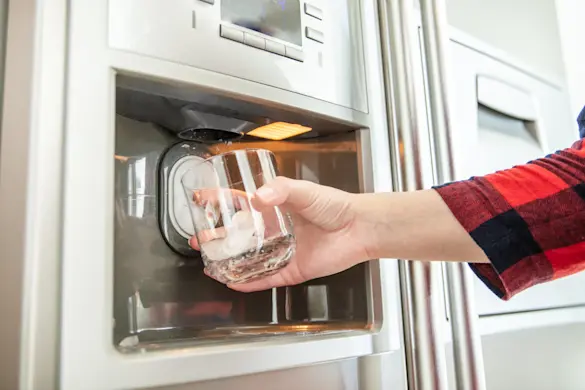
Start by running water through the new filter. This helps remove trapped air and loose particles. Use the water dispenser on the fridge door for this task.
- Place a large container under the water dispenser.
- Press and hold the water lever for about 5 minutes.
- Allow the water to flow continuously without stopping.
- Check the water color; it should be clear with no black specks.
- If water is cloudy or has particles, keep flushing until clear.
Checking For Leaks
After flushing, inspect the filter area for leaks. Proper sealing prevents water damage and ensures the filter works well.
| Check Point | What to Look For | Action if Leak Found |
|---|---|---|
| Filter Housing | Water dripping or pooling | Turn off water, reseat filter firmly |
| Filter Cap | Loose or cracked parts | Replace cap or filter if damaged |
| Water Line Connection | Moisture or wet spots | Tighten connections or replace tubing |
Credit: www.searspartsdirect.com
Resetting The Filter Indicator
The filter indicator on your GE Profile refrigerator shows when to change the water filter. After you replace the filter, you need to reset this light. Resetting helps the fridge track the new filter's life.
This guide explains how to reset the filter indicator using the control panel. It also shows how to check if the reset worked correctly.
Using The Control Panel
Start by finding the control panel on the front of your refrigerator. The filter reset button is usually near the water filter button or light.
Press and hold the reset button for about 3 seconds. The filter light will blink or turn off. This means the indicator has reset.
- Locate the filter reset button on the control panel
- Press and hold the button for 3 seconds
- Watch for the filter light to blink or turn off
- Release the button after the light changes
Verifying The Reset
After resetting, check if the filter light stays off. This means the fridge recognizes the new filter.
If the light comes back on soon, try resetting again or check the filter installation. A proper reset ensures clean water and ice.
- Watch the filter light for a few minutes
- Light off means reset was successful
- If light returns, repeat the reset process
- Ensure the filter is correctly installed
Maintenance Tips
Keeping your GE Profile refrigerator's water filter clean helps it work well. Regular care ensures fresh tasting water and clean ice.
Follow simple steps to maintain your water filter and avoid problems with water flow or taste.
Regular Replacement Schedule
Change the water filter every six months or after 200 gallons of use. This keeps your water fresh and safe.
Signs you need to replace the filter include slow water flow or bad taste in water.
- Mark the replacement date on your calendar
- Use only filters made for GE Profile refrigerators
- Replace sooner if water tastes or smells strange
Cleaning The Filter Housing
Clean the filter housing when you change the filter. This removes dirt and buildup.
Use a soft cloth and warm water to wipe inside the housing. Avoid harsh chemicals.
- Turn off the water supply before cleaning
- Remove the old filter carefully
- Wipe the filter housing gently with a damp cloth
- Dry the area before inserting the new filter

Credit: www.searspartsdirect.com

Credit: www.reddit.com
Frequently Asked Questions
How Do I Replace The Water Filter In A Ge Profile Fridge?
To replace the water filter, locate it inside the fridge, twist the old filter counterclockwise, remove it, and insert a new one. Turn clockwise to secure. Flush water for a few minutes to clear air and impurities.
When Should I Change The Ge Profile Water Filter?
Change the water filter every 6 months or when the water flow slows. A clogged filter reduces water quality and fridge efficiency. Check your manual for specific recommendations.
What Type Of Water Filter Fits Ge Profile Refrigerators?
Use a GE Profile water filter compatible with your model, typically the MWF or RPWFE type. Always verify the model number to ensure proper fit and filtration performance.
How Do I Reset The Water Filter Indicator Light?
After replacing the filter, press and hold the reset button on the dispenser panel for 3 seconds. The indicator light will turn off, confirming a successful reset.
Conclusion
Changing the water filter in your GE Profile refrigerator keeps water clean and fresh. It only takes a few minutes and simple steps. Regularly replacing the filter helps avoid bad tastes and odors. It also protects your fridge from damage.
Remember to check your filter model before buying a new one. Follow the instructions carefully to avoid mistakes. Clean water means healthier drinks and better ice. Keep your fridge working well by changing the filter on time. Easy to do.
Good for you.