

If you love your Keurig 2.0 but notice your coffee isn’t tasting as fresh as before, the water filter might be the cause. Replacing your water filter is a simple step that can make a big difference in the flavor of every cup you brew.
Wondering how to do it quickly and correctly? You’re in the right place. This guide will walk you through each step, so you can enjoy fresh, clean coffee every time without any hassle. Keep reading to learn exactly how to replace the water filter in your Keurig 2.
0.

Credit: www.reddit.com
Prepare Your Keurig
Changing the water filter in your Keurig 2.0 helps keep your coffee fresh. First, you must get your machine ready for the replacement process.
Preparing your Keurig ensures safety and makes the filter change easier. Follow the simple steps below before you start.
Turn Off And Unplug
Always turn off the Keurig before working on it. Unplug the machine from the power outlet to avoid any electrical hazards.
- Press the power button to switch off the machine.
- Unplug the power cord from the wall socket.
- Wait a few minutes to let the machine cool down.
Remove Water Reservoir
Next, take off the water reservoir to access the water filter. Handle the reservoir carefully to avoid spills or damage.
- Lift the reservoir straight up from its base.
- Empty any water remaining inside.
- Place the reservoir on a clean surface.
- Locate the water filter inside the reservoir.
Remove The Old Filter
Changing the water filter in your Keurig 2.0 is important for fresh coffee. Start by removing the old filter before adding a new one.
Follow these simple steps to ensure your coffee machine continues to run smoothly.
Take Out The Filter Handle
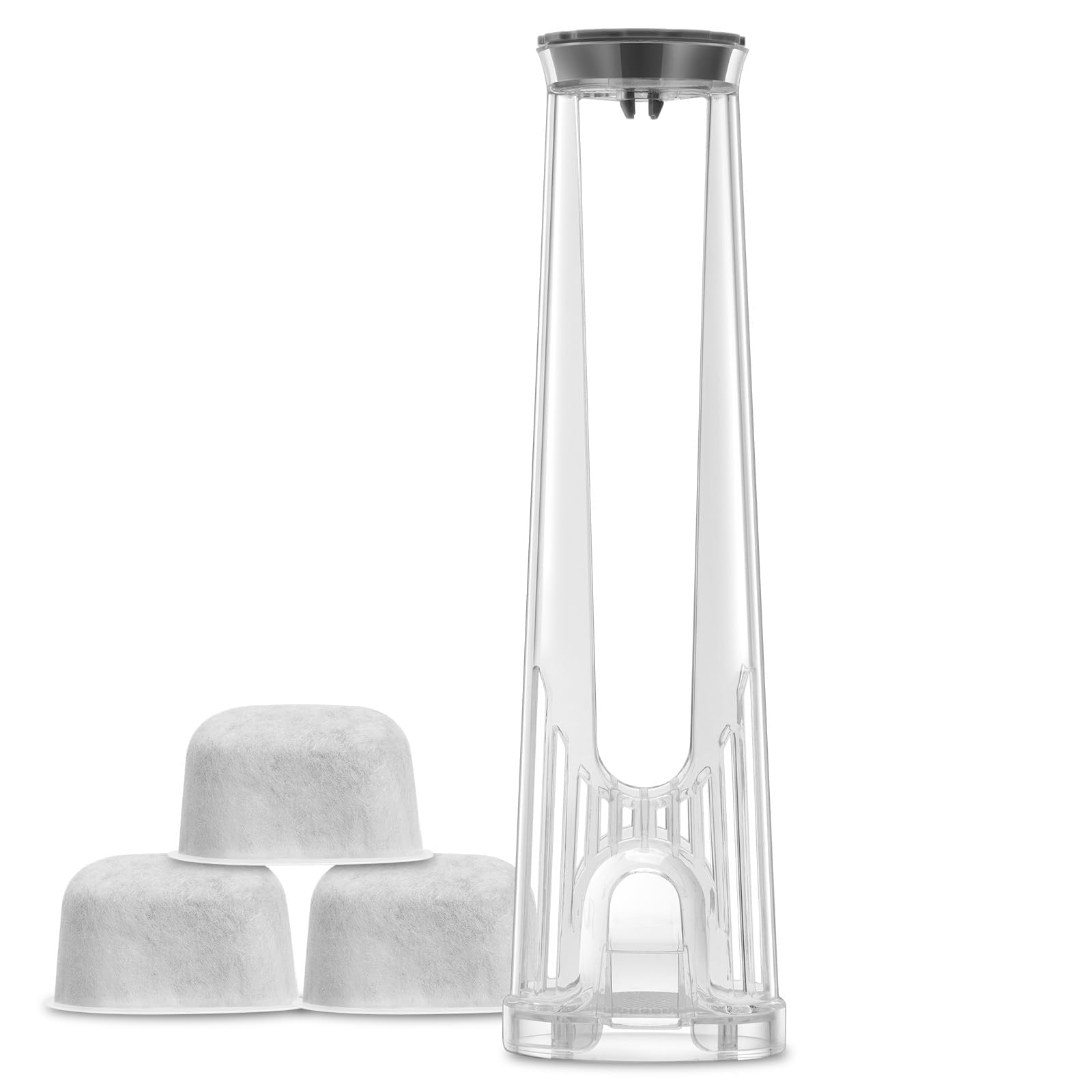
The filter handle is the plastic piece that holds the filter. It is located inside the water reservoir.
Gently pull the handle out of the reservoir. Be careful not to spill any water.
Discard The Used Filter
Once you have the filter handle, you can remove the used filter. Dispose of it properly.
- Press the tabs on the filter holder to open it.
- Take out the old filter and throw it away.
- Rinse the filter holder under running water.
Now you are ready to insert a new filter into your Keurig 2.0.
Soak The New Filter
Replacing the water filter in your Keurig 2.0 is important for clean coffee. Before installing, you need to soak the new filter.
Soaking helps remove impurities and prepares the filter for use. Follow these simple steps to soak the filter correctly.
Use Cold Water
Always use cold water to soak the new filter. Hot water can damage the filter and reduce its effectiveness.
Cold water helps clean the filter gently. It also keeps the filter ready to trap impurities from your water supply.
Soak For Five Minutes
Place the new filter in cold water and let it soak for five minutes. This time allows the filter to absorb water and activate properly.
After five minutes, remove the filter and gently shake off excess water. Then, insert it into your Keurig 2.0 machine.
Credit: www.amazon.com
Install The New Filter
Replacing the water filter in your Keurig 2.0 helps keep your coffee fresh. A clean filter removes impurities from the water. Follow these simple steps to install the new filter correctly.
Place Filter In Holder
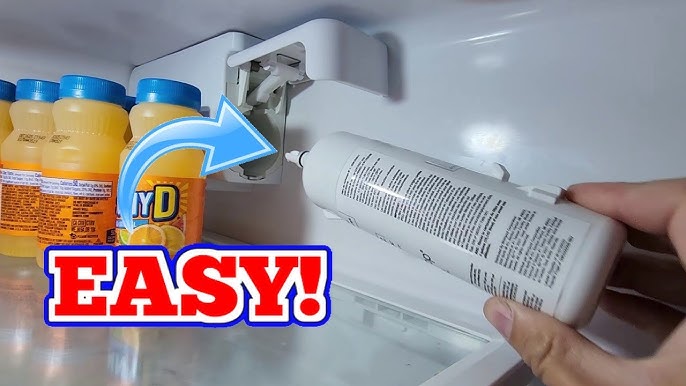
Start by removing the new water filter from its package. Rinse it under cold water for about 5 seconds. This removes any loose carbon dust. Then place the filter inside the holder, making sure it fits snugly.
- Remove filter from packaging
- Rinse under cold water for 5 seconds
- Place filter inside the holder firmly
- Check that the filter fits tightly without gaps
Insert Holder Into Reservoir
Once the filter is in the holder, insert the holder into the water reservoir. Push it down gently until it clicks or feels secure. Make sure the holder sits flat and does not move.
| Action | Details |
| Insert holder | Place holder into reservoir opening |
| Press down | Push gently until it clicks or fits tight |
| Check fit | Holder should be stable and flat |
Flush The System
After replacing the water filter in your Keurig 2.0, flushing the system is important. This removes any loose carbon bits and cleans the water lines.
Flushing helps improve the taste of your coffee and keeps your machine running well.
Fill Reservoir With Water
Start by filling the water reservoir with fresh, clean water. Make sure it reaches the maximum fill line. Do not add coffee pods during this process.
Run Multiple Brew Cycles
Run several brew cycles without a coffee pod. This flushes water through the new filter and the machine.
- Place a large mug on the drip tray.
- Select the largest brew size on your Keurig.
- Start the brew cycle and let the water run through.
- Discard the water collected in the mug.
- Repeat this process 3 to 4 times.

Credit: www.islandworldflowers.com
Maintain Your Keurig Filter
Keeping your Keurig 2.0 filter clean helps your coffee taste fresh. It also keeps the machine working well.
Regular care makes sure your filter lasts long and removes impurities from water effectively.
Replace Every Two Months
Change your Keurig water filter every two months. This keeps your coffee fresh and your machine safe.
- Remove the old filter from the water reservoir.
- Soak the new filter in water for five minutes.
- Rinse the filter under running water for a few seconds.
- Place the new filter into the reservoir holder.
- Fill the reservoir with fresh water before use.
Regular Cleaning Tips
Clean your Keurig machine to avoid buildup and improve taste. Do it weekly or biweekly.
| Cleaning Task | How Often | Method |
| Remove and rinse the water reservoir | Weekly | Use warm, soapy water |
| Clean the needle that pierces pods | Biweekly | Use a paperclip or needle tool |
| Run a descaling cycle | Every 3 months | Use a descaling solution |
| Wipe the outside of the machine | Weekly | Use a damp cloth |
Frequently Asked Questions
How Often Should I Replace The Keurig 2.0 Water Filter?
You should replace the Keurig 2. 0 water filter every 2 months or after 60 tank refills. This ensures clean, fresh-tasting coffee and optimal machine performance.
What Are The Steps To Replace The Keurig 2.0 Water Filter?
First, remove the water reservoir and take out the old filter. Soak the new filter in water for 5 minutes, then insert and reattach the reservoir.
Can I Use Any Water Filter For Keurig 2.0?
No, only use Keurig-approved water filters designed for the 2. 0 model. Using other filters may cause damage or poor coffee taste.
How Do I Know When The Water Filter Needs Replacing?
Your Keurig 2. 0 will prompt a filter replacement message after 60 tank refills. You may also notice slower brewing or off-flavors in coffee.
Conclusion
Replacing the water filter in your Keurig 2. 0 keeps your coffee tasting fresh. It helps remove impurities and improves flavor every time. Changing the filter regularly also protects your machine from buildup. The process is quick and easy to follow.
Keep your coffee maker clean and enjoy better coffee daily. Simple steps make a big difference for your brew. Don’t wait until the taste changes—replace the filter now. Your Keurig and your taste buds will thank you.