
Is your Whirlpool refrigerator’s water filter light flashing, and you’re not sure what to do next? You’ve just changed the filter, but the light keeps blinking, or maybe it never reset after the last replacement.
This little light can feel like a mystery, but don’t worry—you’re about to learn exactly how to reset it quickly and easily. Keep reading, and by the end, you’ll have your fridge back to normal, with clean water and no annoying alerts.
Let’s get started!
Credit: www.whirlpool.com
Identify Water Filter Light
The water filter light on a Whirlpool refrigerator shows the status of your water filter. This light helps you know when to change or reset the filter.
Knowing where the light is and what it means helps you keep your water clean and fresh.
Location On Whirlpool Models
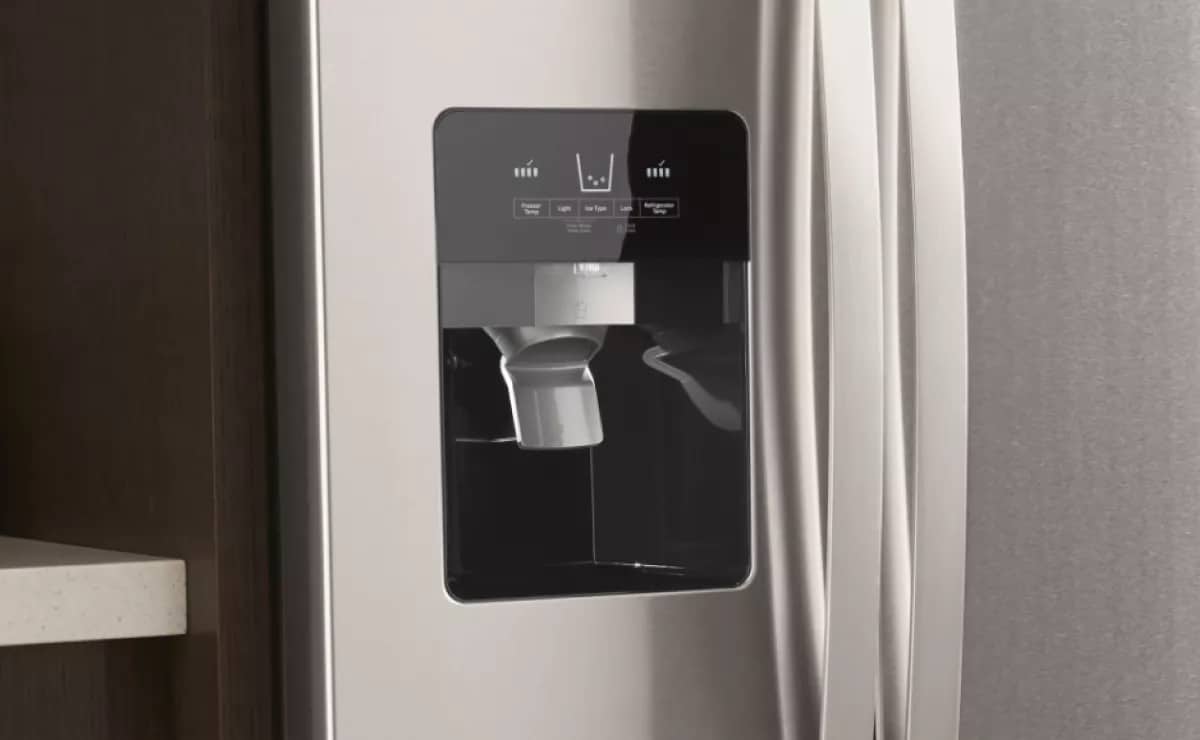
The water filter light is usually on the control panel of the refrigerator. Its exact spot can change depending on the model.
- On side-by-side models, the light is near the water dispenser controls.
- On French door models, it is often on the top right of the control panel.
- On top freezer models, the light might be inside the fridge near the filter.
Check your user manual if you cannot find the light on your model.
What The Light Indicates
The water filter light tells you about the filter’s condition. It uses colors or blinking to give alerts.
- A green or blue light means the filter is working well.
- A yellow or orange light warns the filter needs to be changed soon.
- A red light or blinking means the filter must be replaced immediately.
Resetting the light after changing the filter clears the alert and starts a new cycle.
When To Reset The Light
The water filter light on your Whirlpool refrigerator helps you know when it's time to change the filter. You should reset the light after replacing the filter or if it malfunctions.
Knowing when to reset the light ensures your refrigerator maintains clean water and operates smoothly.
After Replacing The Filter
Once you replace the water filter, it's important to reset the light. This action tells the fridge it has a new filter and can start tracking usage again.
Resetting the light keeps your refrigerator's reminder system accurate and helps you track when to change the filter next.
- Locate the reset button on your fridge.
- Press and hold the button for 3 seconds.
- The light should turn off, showing a successful reset.
If The Light Malfunctions
Sometimes, the water filter light may not work properly. This could happen even if the filter is functioning well.
If the light stays on or off incorrectly, resetting it might help. Follow the steps to ensure it aligns with the filter's condition.
- Check if the filter is correctly installed.
- Try resetting the light by pressing the reset button.
- Consult your fridge's manual if issues persist.
Reset Methods By Model
Whirlpool refrigerators have different ways to reset the water filter light. The reset method depends on your model.
This guide explains three common reset methods. Find the one that fits your Whirlpool refrigerator.
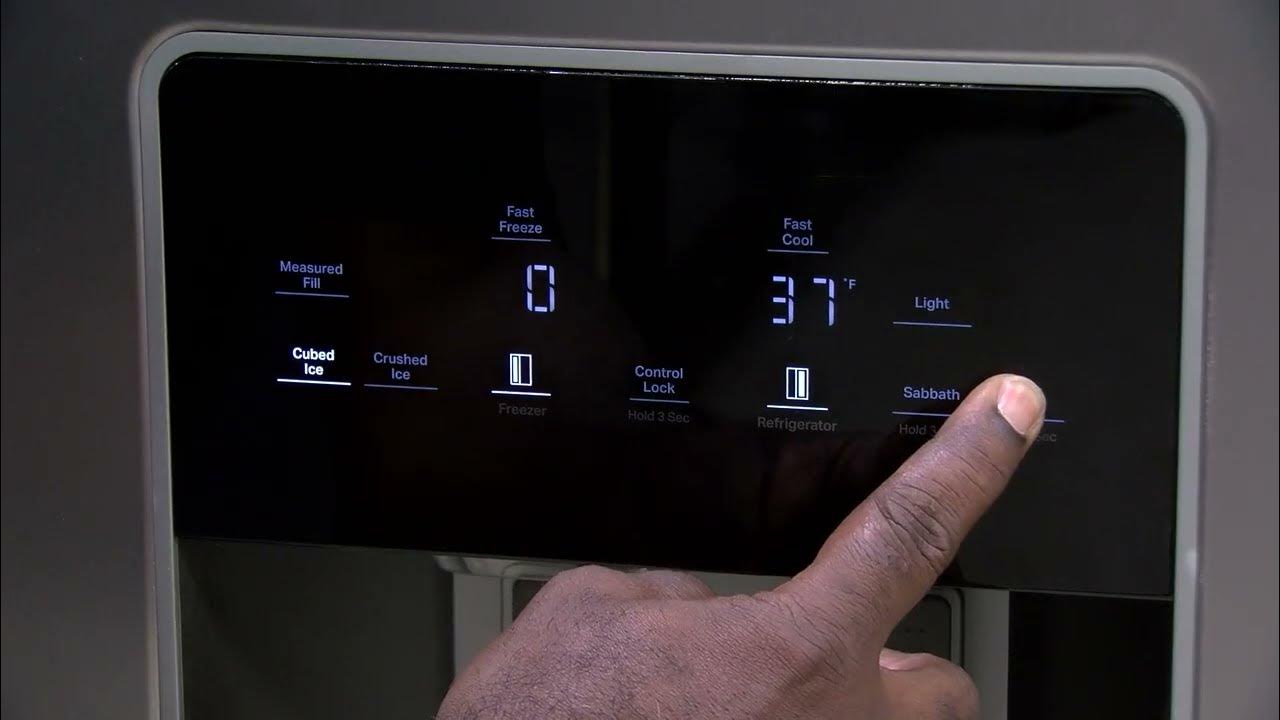
Touchpad Reset
Many Whirlpool models use a touchpad to reset the water filter light. This method is simple and quick.
To reset, press and hold the water filter button or the reset button on the touchpad. Hold it for about 3 seconds.
- The light should turn off after holding the button.
- If it stays on, try holding the button longer.
- This method works on models with a digital touchpad.
Button Combination Reset
Some Whirlpool refrigerators need you to press two buttons at the same time. This resets the water filter light.
Common button pairs include "Water Filter" and "Light," or "Reset" and "Water."
- Press and hold both buttons together for 3 to 5 seconds.
- The water filter light will blink or turn off.
- Try this if your fridge does not have a dedicated reset button.
Using The Control Panel
Some Whirlpool models have a control panel with a menu for settings. You can reset the water filter light there.
Use the control panel buttons to find the water filter reset option. Follow the on-screen instructions.
- Press the "Menu" or "Settings" button.
- Navigate to "Water Filter" or "Filter Reset."
- Select the reset option and confirm.
- The light should turn off after confirmation.

Credit: www.reddit.com
Step-by-step Reset Instructions
The water filter light on your Whirlpool refrigerator tells you when to change the filter. After replacing the filter, you need to reset this light. This guide shows you easy steps to reset the water filter light.
Follow the instructions carefully to ensure the light resets properly and your refrigerator tracks the filter life correctly.
Prepare The Refrigerator
First, check that you have replaced the water filter. The light will not reset without a new filter. Make sure the refrigerator door is closed and the appliance is powered on.
- Replace the water filter if not done yet
- Close the refrigerator door completely
- Keep the fridge plugged in and running
Perform The Reset
Locate the reset button on the control panel. It is usually near the water filter light. Press and hold this button for about 3 seconds until the light changes.
- Find the water filter reset button on the control panel
- Press and hold the button for 3 seconds
- Release the button when the light turns off or changes color
Verify The Reset
Check the water filter light after resetting. It should be off or show a new color. This means the filter life has been reset. If the light stays on, repeat the reset steps.
- Look at the water filter light on the control panel
- Light off or changed color means reset succeeded
- Repeat reset if the light stays on
Troubleshooting Tips
The water filter light on your Whirlpool refrigerator helps you know when to change the filter. Sometimes, the light may not reset after you replace the filter. This guide offers easy tips to fix common problems.
Follow these troubleshooting steps to solve filter light issues and keep your water clean and fresh.
Light Won't Reset
If the water filter light stays on after replacing the filter, the reset might not have worked. Make sure you follow the reset process correctly. Usually, you press and hold the reset button for a few seconds.
Try these tips to fix the reset problem:
- Press and hold the reset button for 3 to 5 seconds.
- Check the user manual for the exact reset steps.
- Make sure the refrigerator door is fully closed during reset.
- Unplug the fridge for a minute, then plug it back in and try again.
- If the button feels stuck, clean around it gently.
Filter Replacement Issues
Sometimes the water filter light stays on because the filter is not installed correctly. The filter may also be the wrong type for your model. Check these points to avoid problems:
- Make sure the filter clicks into place firmly.
- Use only Whirlpool-approved water filters for your model.
- Remove any protective covers on the new filter before installing.
- Check the filter’s expiration date before use.
- Turn off the water supply before changing the filter to avoid leaks.
When To Contact Support
If you tried resetting and replacing the filter but the light still won’t turn off, it may be a deeper issue. Contact Whirlpool support if you see these signs:
- The light stays on even after multiple resets.
- You notice water leaks near the filter area.
- The filter compartment is damaged or hard to open.
- The refrigerator shows error codes related to the water system.
- Water tastes unusual after changing the filter.
Getting help early can prevent bigger problems and keep your fridge working well.
Maintaining Your Water Filter
Keeping your Whirlpool refrigerator’s water filter in good shape is important. It helps ensure clean water and great taste.
Resetting the water filter light is part of the maintenance process. This guide covers key points to help you care for your filter.
Filter Lifespan
Water filters in Whirlpool refrigerators usually last about six months. This time depends on water quality and usage.
Using the filter beyond its lifespan may reduce water flow and taste quality. It can also allow contaminants to pass through.
Regular Replacement Schedule
- Check the water filter light on your refrigerator.
- Replace the water filter every six months or when the light turns on.
- After installing a new filter, press and hold the reset button for three seconds.
- Make sure the light goes off, indicating the filter status is reset.
Benefits Of Timely Reset
| Benefit | Description |
| Clean Water | Ensures water stays fresh and free from impurities. |
| Proper Filter Tracking | Keeps the filter replacement schedule accurate. |
| Prevents Damage | Helps avoid strain on the refrigerator’s water system. |
| Improved Taste | Maintains good taste and odor of water and ice. |

Credit: www.reddit.com
Frequently Asked Questions
How Do I Reset The Water Filter Light On Whirlpool Fridge?
Press and hold the "Reset" or "Filter Reset" button for 3 seconds. The light will blink and turn off, indicating a successful reset.
When Should I Reset The Whirlpool Water Filter Light?
Reset the light immediately after installing a new water filter. This ensures accurate tracking of filter usage and water quality.
What If The Water Filter Light Won’t Reset?
Check if the filter is properly installed. If the light stays on, try unplugging the fridge for 5 minutes and reset again.
Does Resetting The Filter Light Affect Water Quality?
No, resetting the light only updates the filter status. It does not impact the actual water filtration or quality.
Conclusion
Resetting the water filter light on your Whirlpool refrigerator is simple. Just follow the clear steps and your light will turn off. This helps keep your water fresh and clean. Regular resets remind you to change the filter on time.
Enjoy cold, filtered water without any hassle. Keep your fridge working well and your family healthy. Small tasks like this save money and avoid bigger problems. You can do this easily and quickly. Stay on top of maintenance for best results.
Your fridge will thank you.