
Are you tired of wondering if your Samsung refrigerator’s water is truly clean? Installing a water filter can make a huge difference in the taste and safety of your drinking water.
But you might be thinking, “Is it complicated? Will it take too much time? ” Don’t worry—this guide will walk you through every step, making the process simple and quick. By the end, you’ll know exactly how to install your water filter, so you can enjoy fresh, pure water straight from your fridge.
Keep reading and take control of your water quality today!
Choosing The Right Water Filter
Choosing the correct water filter is important for your Samsung refrigerator. It ensures clean and safe drinking water.
Knowing the types of filters helps you pick one that fits your model and needs.
Compatible Filter Models
Not all water filters fit every Samsung refrigerator. Use the model number to find the right filter.
- Check the user manual for filter model numbers.
- Look for filters labeled compatible with your refrigerator model.
- Match the filter’s shape and size to your fridge’s filter slot.
- Consider filters designed for your specific refrigerator series.
Oem Vs. Third-party Filters
OEM filters come from Samsung and fit perfectly. Third-party filters cost less but may vary in quality.
| Filter Type | Pros | Cons |
| OEM Filters | Guaranteed fit and quality | Higher price |
| Third-Party Filters | Lower cost | May not fit well or filter as well |

Credit: www.searshomeservices.com
Preparing Your Samsung Refrigerator
Installing a water filter in your Samsung refrigerator is a simple process. Preparation is key to ensure everything goes smoothly.
Follow the steps below to prepare your refrigerator for a new water filter. These steps will help you locate the filter and turn off the water supply correctly.
Locating The Water Filter
The water filter is usually found inside the refrigerator. It is typically located in the upper right corner or at the bottom of the fridge section.
- Open the refrigerator doors.
- Look for a round filter cap or a rectangular compartment.
- If unsure, consult your refrigerator's manual for the exact location.
Turning Off The Water Supply
Before installing the filter, it's important to turn off the water supply. This prevents any leaks or water spills.
- Turn the valve clockwise to shut off the water.
- Ensure the water is completely off by checking the water dispenser.
- Proceed with installing the new filter once the water is off.
Removing The Old Filter
Replacing the water filter in your Samsung refrigerator keeps water clean and fresh. Removing the old filter is the first step.
Follow simple steps to safely remove the old filter before installing a new one.
Releasing The Filter Cover
Open the fridge door to find the water filter cover. It is usually inside the fridge or near the water dispenser.
Press the release button or gently push the cover to unlock it. The cover will open or pop out.
- Locate the filter cover inside the fridge compartment.
- Press the release button or push the cover gently.
- Pull the cover to open or remove it.
Detaching The Used Filter
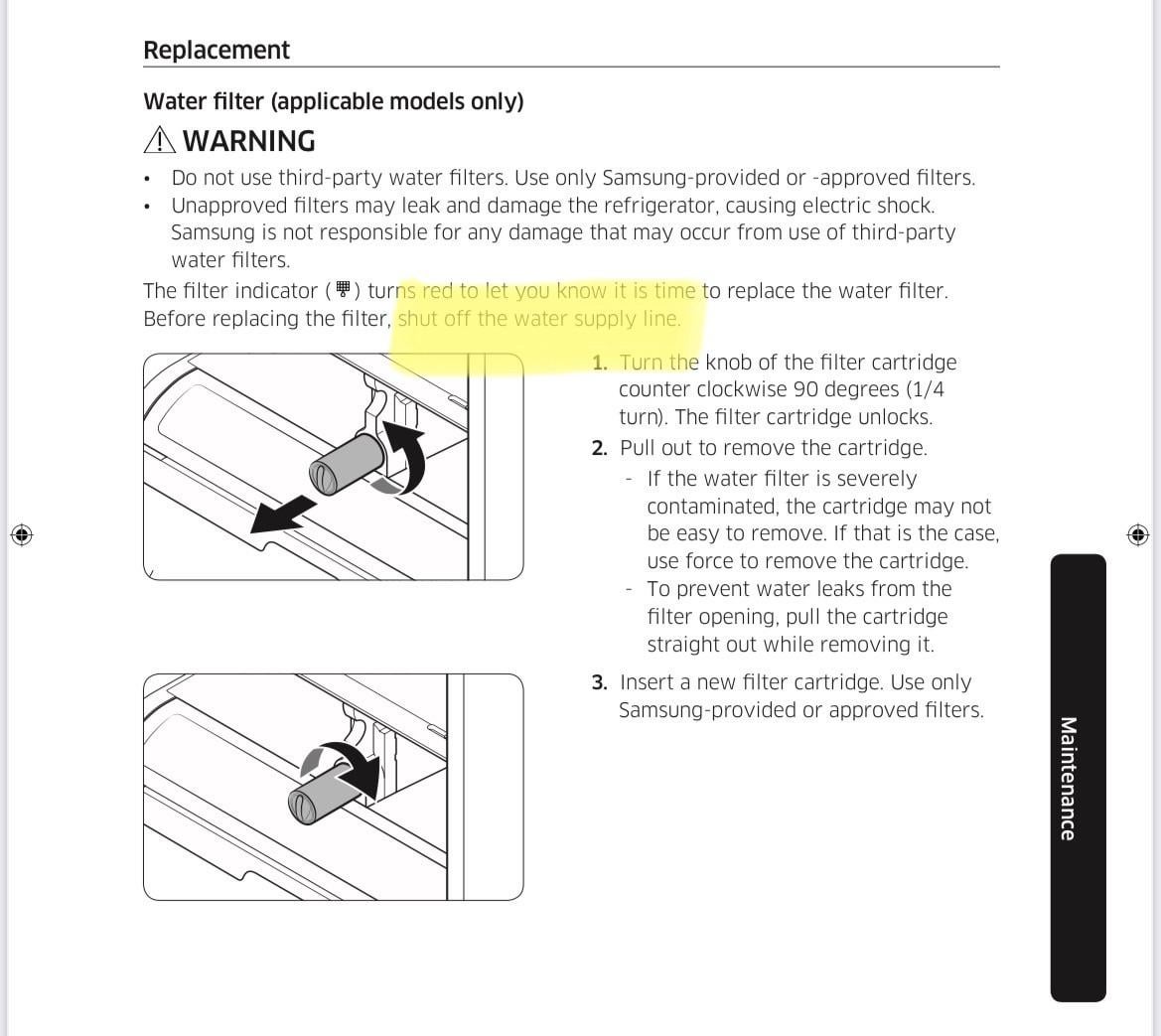
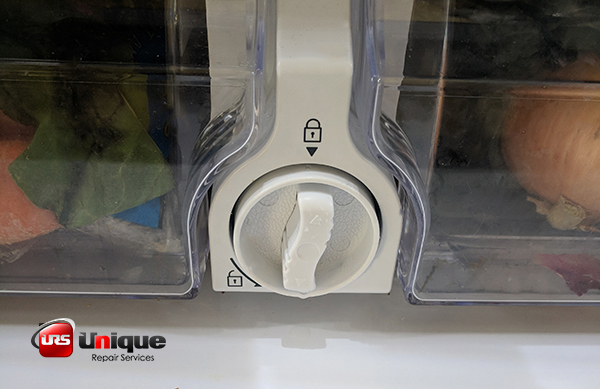
Hold the old filter firmly. Turn it counterclockwise to unlock it from its slot.
Pull the filter straight out once it is loose. Be careful not to spill water.
- Grasp the old filter with a firm grip.
- Turn it to the left (counterclockwise) slowly.
- Pull the filter out straight from the slot.
- Dispose of the used filter properly.
Credit: uniquerepair.com
Installing The New Filter
Installing a new water filter in your Samsung refrigerator is simple. It helps keep your water clean and fresh.
Follow these steps to install the new filter correctly. This ensures your fridge works well and your water tastes great.
Aligning The Filter Properly
Start by matching the new filter with the filter slot. The filter has an arrow or guide mark to help you.
Make sure the filter fits into the slot straight. Do not force it at an angle to avoid damage.
- Hold the filter with the arrow pointing to the slot
- Line up the filter’s tabs with the slot grooves
- Insert the filter gently and straight into the slot
Securing The Filter In Place
Once the filter is aligned, turn it clockwise to lock it in. You will feel it click or tighten.
Check the filter to make sure it is tight and does not move. A loose filter can cause leaks.
- Turn the filter clockwise until it stops
- Do not over-tighten the filter
- Wipe the area around the filter to remove drips
- Run water through the dispenser to check for leaks
Flushing And Resetting
After installing a new water filter in your Samsung refrigerator, flushing the filter is important. Flushing clears any loose carbon particles and ensures clean water flow.
Resetting the filter indicator light lets your refrigerator track when the next filter change is needed. This helps maintain water quality and system efficiency.
Flushing The Filter
Flush the filter by running water through it for a few minutes. This removes trapped air and carbon dust.
- Open the water dispenser and let the water run continuously.
- Flush for about 3 to 5 minutes or until the water runs clear.
- Use a container to catch the water during flushing.
- After flushing, check for leaks around the filter area.
Resetting The Filter Indicator
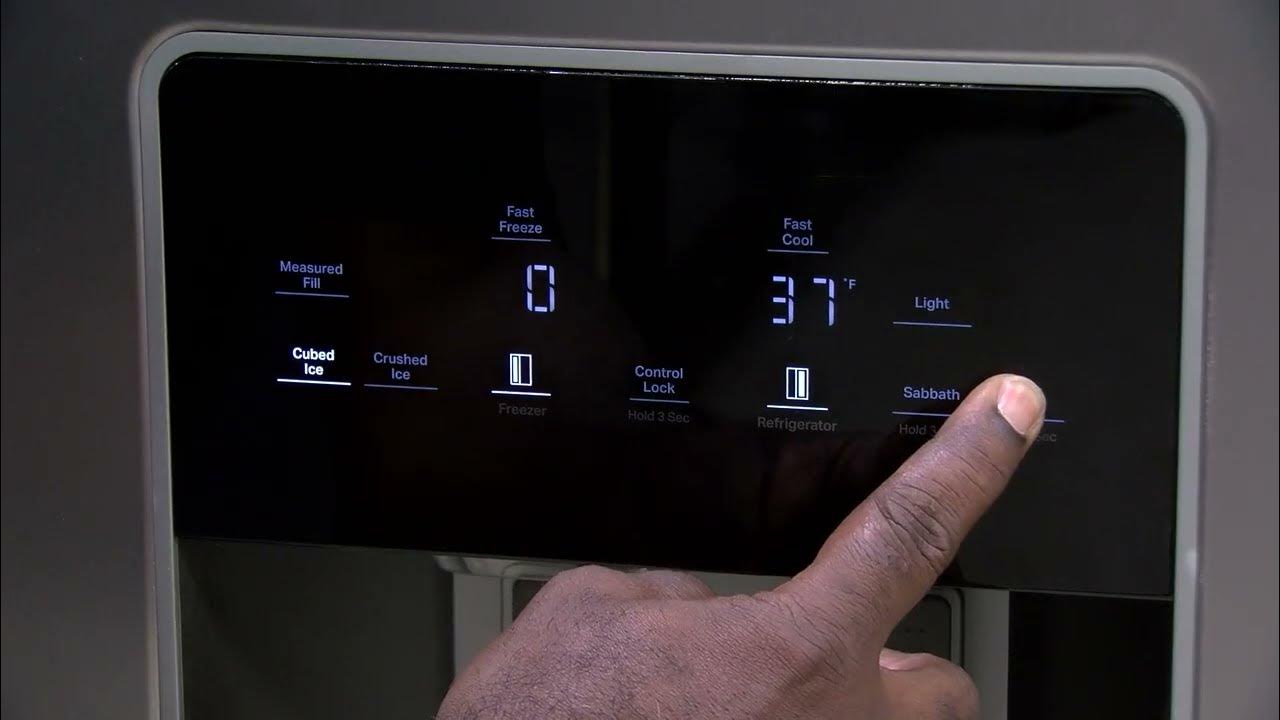
Reset the filter indicator to clear the alert and start a new cycle. Follow these steps to reset it on most Samsung refrigerators.
| Action | Details |
| Locate the Filter Reset Button | Usually near the water dispenser control panel. |
| Press and Hold | Press the button for about 3 seconds until the light blinks or goes off. |
| Confirm Reset | Check that the filter indicator light is off or shows a green light. |
| Start Using | Your refrigerator now tracks the new filter’s usage time. |
Troubleshooting Common Issues
Installing a water filter in your Samsung refrigerator usually works smoothly. Sometimes, small problems appear after installation.
This guide helps you fix common issues like leaks, drips, water taste, and flow problems.
Leaks And Drips
Leaks or drips often happen if the filter is not installed correctly. Check if the filter is tight and properly aligned.
- Turn off the water supply before installing the filter.
- Remove the old filter and wipe the filter housing with a clean cloth.
- Insert the new filter firmly until it clicks into place.
- Turn on the water supply slowly and watch for leaks.
- If leaks continue, check the O-ring for damage or dirt and replace it if needed.
Sometimes, water drips after use. This can be normal if a small amount remains in the filter or tube.
Water Taste And Flow Problems
If water tastes strange or flows slowly, the filter may need replacement or flushing.
| Issue | Possible Cause | Solution |
| Bad taste or odor | Old or expired filter | Replace the filter every 6 months |
| Slow water flow | Clogged filter or air in the line | Flush the filter by running water for 5 minutes |
| No water flow | Filter not installed correctly | Reinstall the filter ensuring it clicks in place |

Credit: www.espares.co.uk
Frequently Asked Questions
How Do I Install A Water Filter In Samsung Refrigerator?
To install, first remove the old filter by twisting it counterclockwise. Align the new filter and twist clockwise until secure. Flush water for 3-5 minutes to clear air and impurities. Always refer to your model’s manual for specific instructions.
How Often Should I Replace Samsung Fridge Water Filter?
Replace your Samsung water filter every 6 months or after filtering 300 gallons. Frequent replacement ensures clean water and optimal taste. Check the filter indicator light on your fridge for timely alerts. Regular changes prevent clogs and maintain performance.
What Types Of Water Filters Fit Samsung Refrigerators?
Samsung refrigerators typically use standard OEM water filters like DA29-00020B or compatible third-party filters. Always verify your model number before buying. Using genuine filters guarantees safety, proper fit, and effective filtration. Avoid generic filters that may cause leaks or damage.
Can I Install Samsung Water Filter Without Professional Help?
Yes, Samsung water filters are designed for easy DIY installation. Follow the manual steps carefully, and use no special tools. If unsure, watch tutorial videos or consult Samsung support. Proper installation avoids leaks and ensures clean, filtered water.
Conclusion
Installing a water filter in your Samsung refrigerator is simple and quick. Follow the steps carefully for clean, fresh water. Regular filter changes keep water tasting great and your fridge working well. Keep track of when to replace the filter to avoid issues.
Enjoy better water quality every day with this easy upgrade. Stay confident knowing your fridge provides safe drinking water.